FenoNo troubleshooting is fairly simple compared to the spirometer and Kiosk, and a couple of the same steps can be applied. They are as follows:
Before you begin troubleshooting, make sure the Feno device is paired in Bluetooth settings, and the Feno device is charged, and not “Asleep”. (It becomes inactive after not interacted with.)
App Relaunch: A simple app relaunch can help restart the pairing sequence and, and get the devices working again. This can be used in conjunction to multiple other methods.
Metered connections: Sometimes a device in the Bluetooth settings will get the message, “Cannot connect using metered connections”. There is a setting below the Bluetooth pairing settings that can be toggled to resolve this issue.
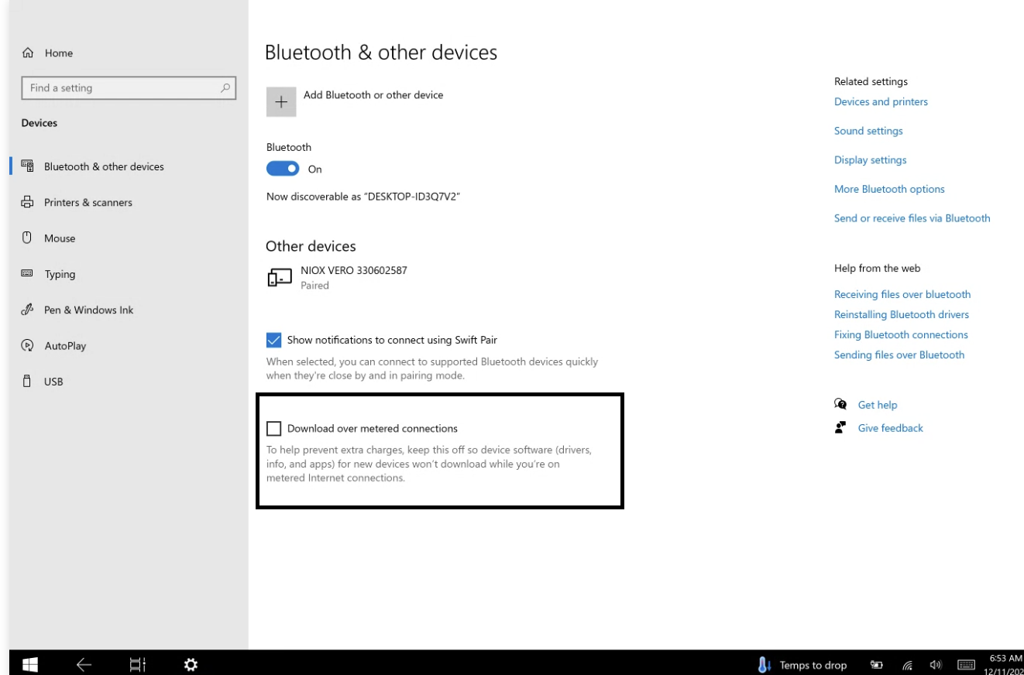
Driver unavailable: If a device states “Driver Unavailable” in the Bluetooth settings, the device is not able to Bluetooth pair as it is connected via another method. This can be the charging cable for the spirometer, or the QC cable for the FenoNo device. If you disconnect the device, and reset the Bluetooth, it usually resolves this issue.
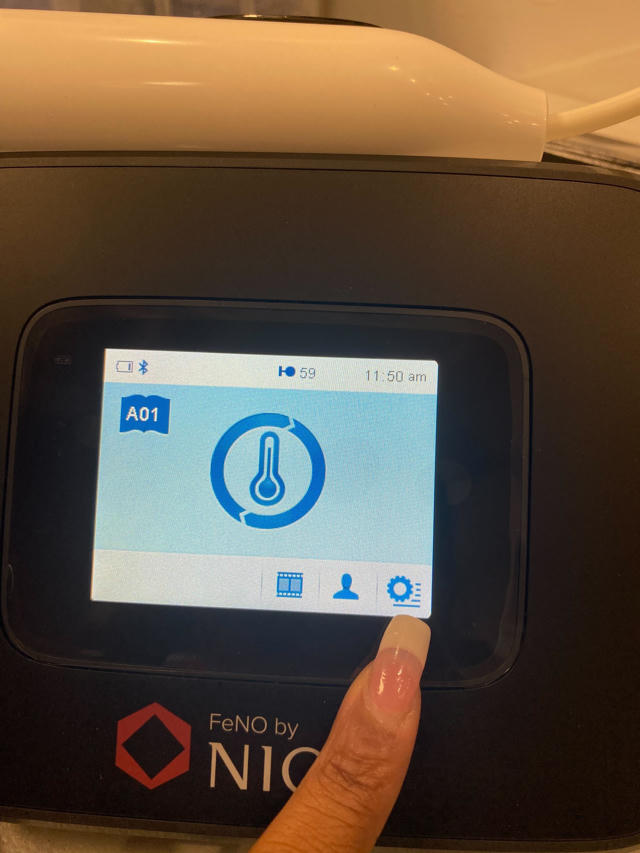
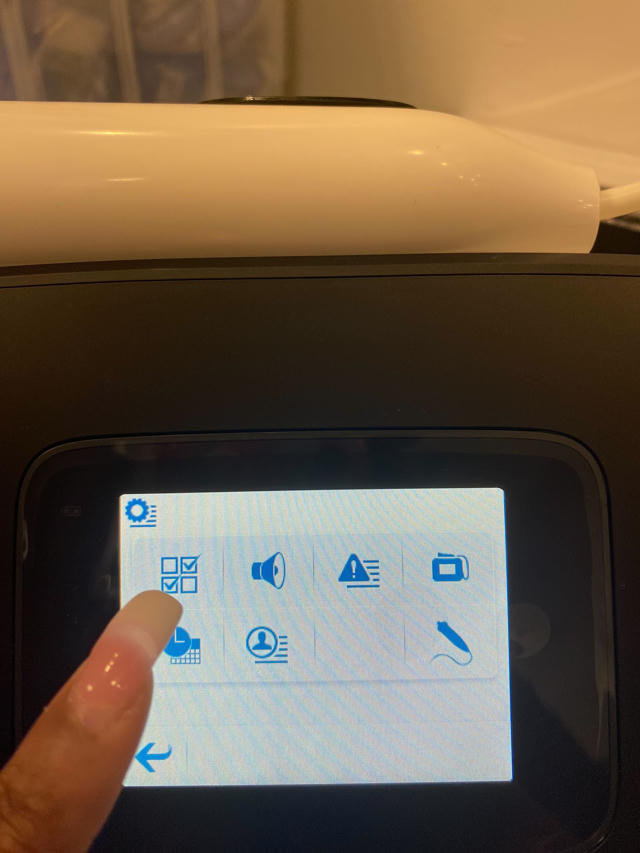
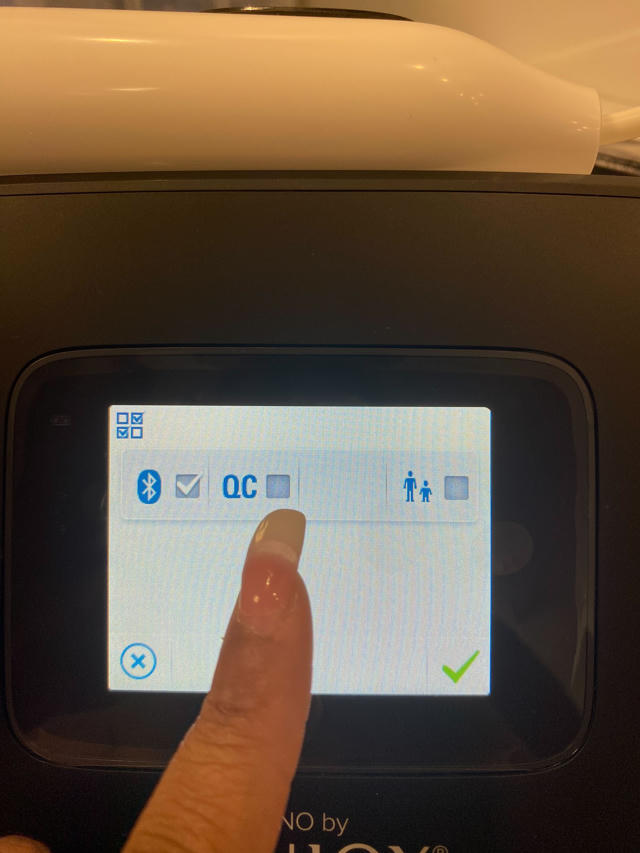
Bluetooth reset: Toggle the QC option on the device, and re-toggle Bluetooth. Specifics on this below.
Toggling QC: Sometimes a site may have not have the option for Bluetooth connection toggled. To properly pair the device, you must ensure the Bluetooth Icon is selected, and the QC is NOT.
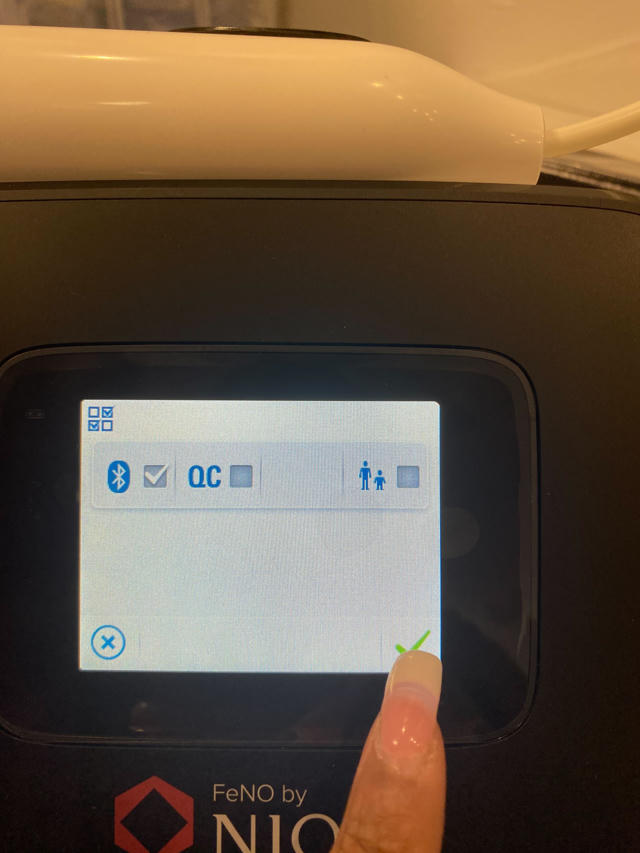
Restart the device: Just as a simple app launch can help, a device restart can also reset a devices Bluetooth connection. This is generally a last resort as it is a very time consuming option.
Windows Updates: If the Go3 device that you are troubleshooting has a small orange icon next to the user Icon, it needs a windows update. It can be pushed by selecting this icon, and selecting restart and update. This can sometimes apply driver updates and Bluetooth fixes, so it is a good last resort, as it is incredibly time consuming.
Was this article helpful?
That’s Great!
Thank you for your feedback
Sorry! We couldn't be helpful
Thank you for your feedback
Feedback sent
We appreciate your effort and will try to fix the article