To change the Feno sensor, ensure that the Feno device is powered OFF and then follow the steps below:
1. Place the Feno device upside down and open the back cover using either a screwdriver or a coin.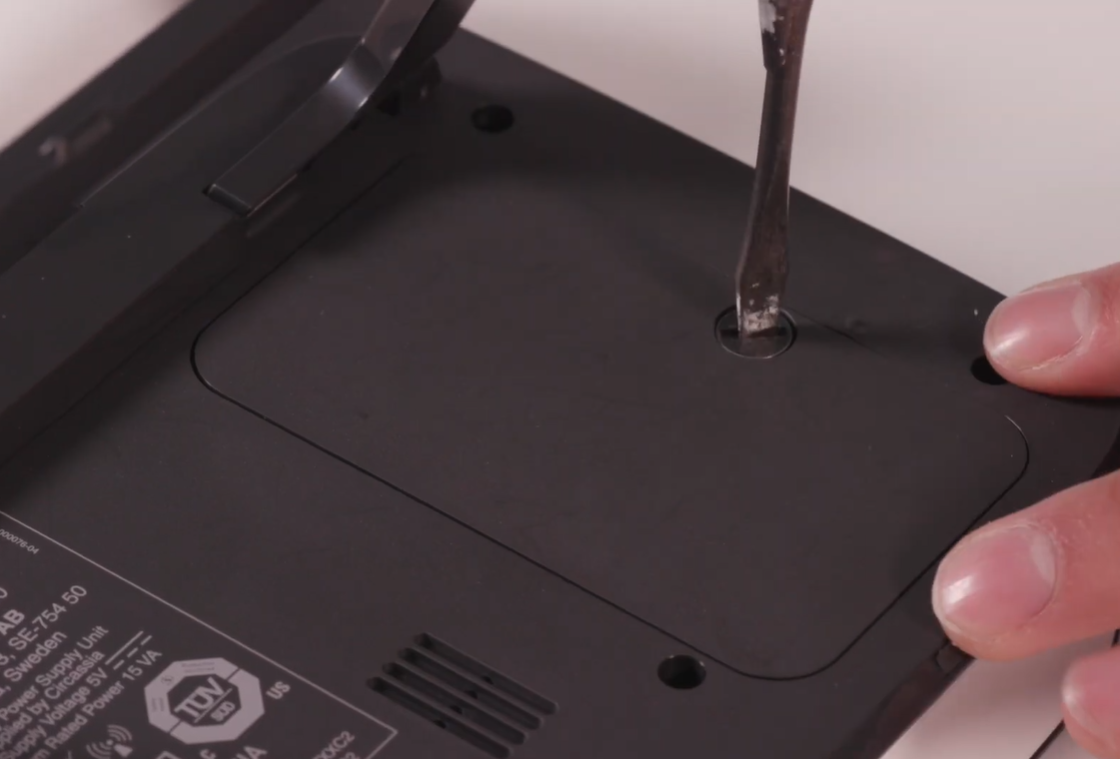
2. Once you open the cover, you will see an orange crescent moon-shaped dial.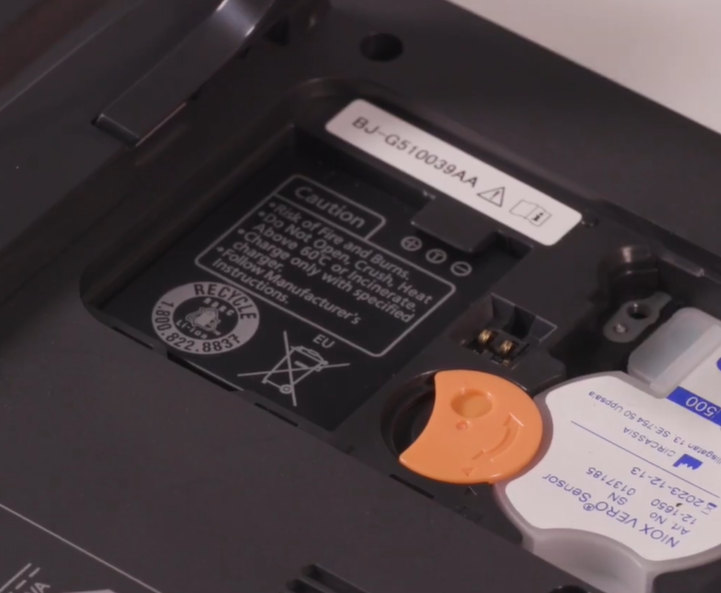
3. Rotate it in an anti-clockwise direction until it lines up as shown in the image below.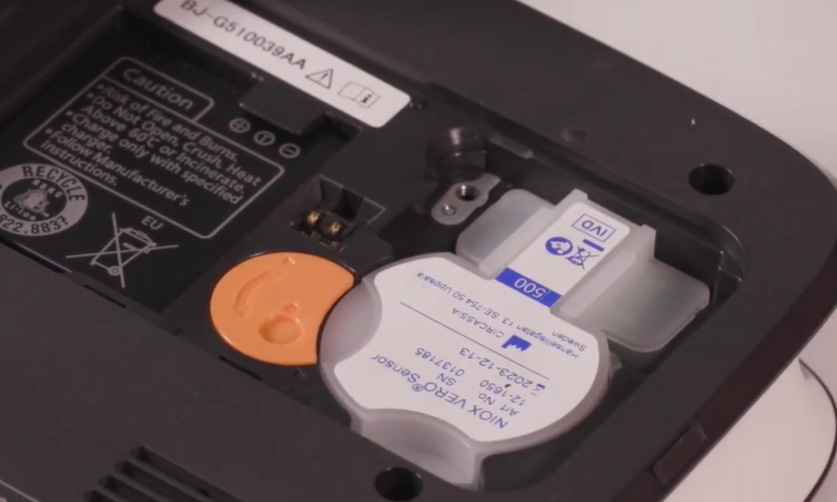
4. Now, press the sensor gently from its side and pull it out.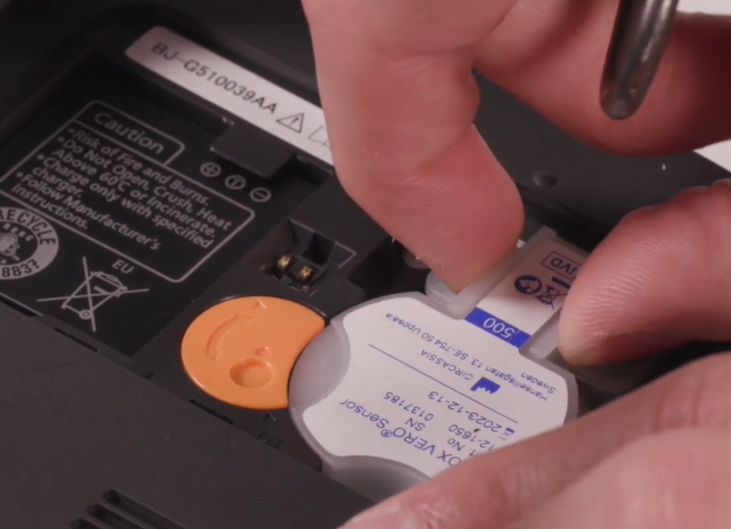
5. Now, open the tin can and take out the new sensor. Make sure not to touch the white membrane part of the sensor, as it is very sensitive.
6. Place the new sensor in the Feno device and then rotate the orange crescent moon-shaped dial in a clockwise direction until it lines up perfectly.
7. Place the back cover on the machine and tighten it using a screwdriver or a coin.
Note:
- Be careful while opening the tin can, as it contains sharp edges.
- It’s recommended to order a new sensor once the sensor count drops to 20 or fewer. This ensures you’ll have enough time to continue performing the FeNO test until the replacement sensor arrives at your site.
- For ordering a new sensor, you can reach out to orders@zephyrx.com
Was this article helpful?
That’s Great!
Thank you for your feedback
Sorry! We couldn't be helpful
Thank you for your feedback
Feedback sent
We appreciate your effort and will try to fix the article